Where Six AI Coding CLIs Store Your Session Logs
I have six AI coding CLIs installed on this machine: Claude Code, Codex CLI, Cursor CLI, Amp CLI, opencode, and pi. Each one writes the full conversation somewhere on disk.
Only two of them document where and a single one has full documentation of the format for storing sessions.
Where six AI coding CLIs store your session logs
Last month I published stats from two months of agent-first development. Before I could count anything and because I spend almost 100% of my time in terminal, I had to answer a boring question: where does each CLI write its session files?
I expected a short lookup in the docs but it was not so simple. Some agents have their sessions location documented, for some others I had to rely on my own machine and inspect.
Here is what I found for Claude Code, Codex CLI, Cursor CLI, Amp CLI, opencode, and pi: the paths, the file formats, and the settings that control retention where they exists.
How I checked this
All six tools were installed on my machine when I wrote this, so every path below was checked against real files at the end of last month (July 2026). I double checked on another machine with different profile.
I also ran the findings through an adversarial pass: four separate agents, each told to refute rather than confirm, each fetching the primary vendor doc and inspecting the real directories. The corrections from that pass are already folded in.
Two things came out of it that you should keep in mind while reading:
- When I write “undocumented”, I mean I searched the vendor’s own doc pages and found nothing, so the fact comes from disk. That kind of fact can change in any release, because the vendor never promised it.
- My machine exports
XDG_CONFIG_HOME=~/.config, which silently moves some of these paths away from their default. I mark those cases so you do not copy my path and wonder why it is empty.
Also a note here: I could be wrong about some of the folders shared here because I tried to discover how all this works on my machine. So if you spot an issue please report it to me so I can fix it.
The short version
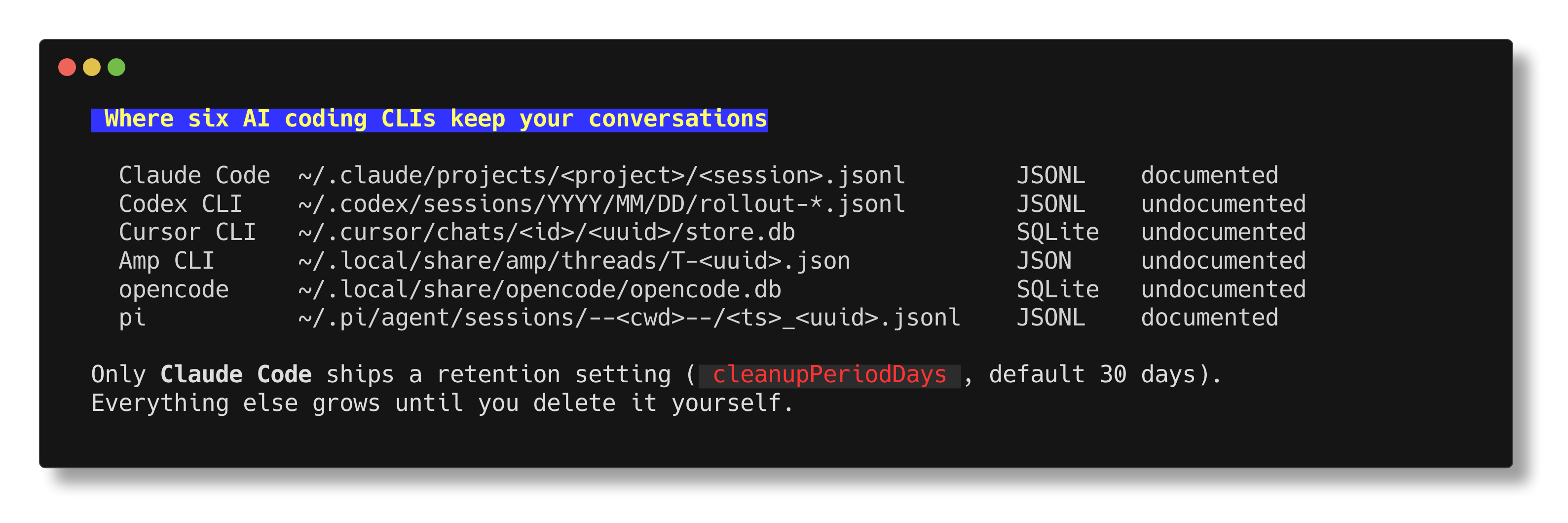
| Session log path | Format | Retention setting | |
|---|---|---|---|
| Claude Code | ~/.claude/projects/<project>/<session>.jsonl |
JSONL, plaintext | cleanupPeriodDays, default 30 days |
| Codex CLI | ~/.codex/sessions/YYYY/MM/DD/rollout-*.jsonl (undocumented) |
JSONL | none for transcripts |
| Cursor CLI | ~/.cursor/chats/<id>/<uuid>/store.db (undocumented) |
SQLite | none |
| Amp CLI | server, plus ~/.local/share/amp/threads/T-*.json |
JSON per thread | server side only |
| opencode | ~/.local/share/opencode/opencode.db |
SQLite | none |
| pi | ~/.pi/agent/sessions/--<cwd>--/<ts>_<uuid>.jsonl |
JSONL, tree shaped | none |
Now the details.
1. Claude Code: fully documented
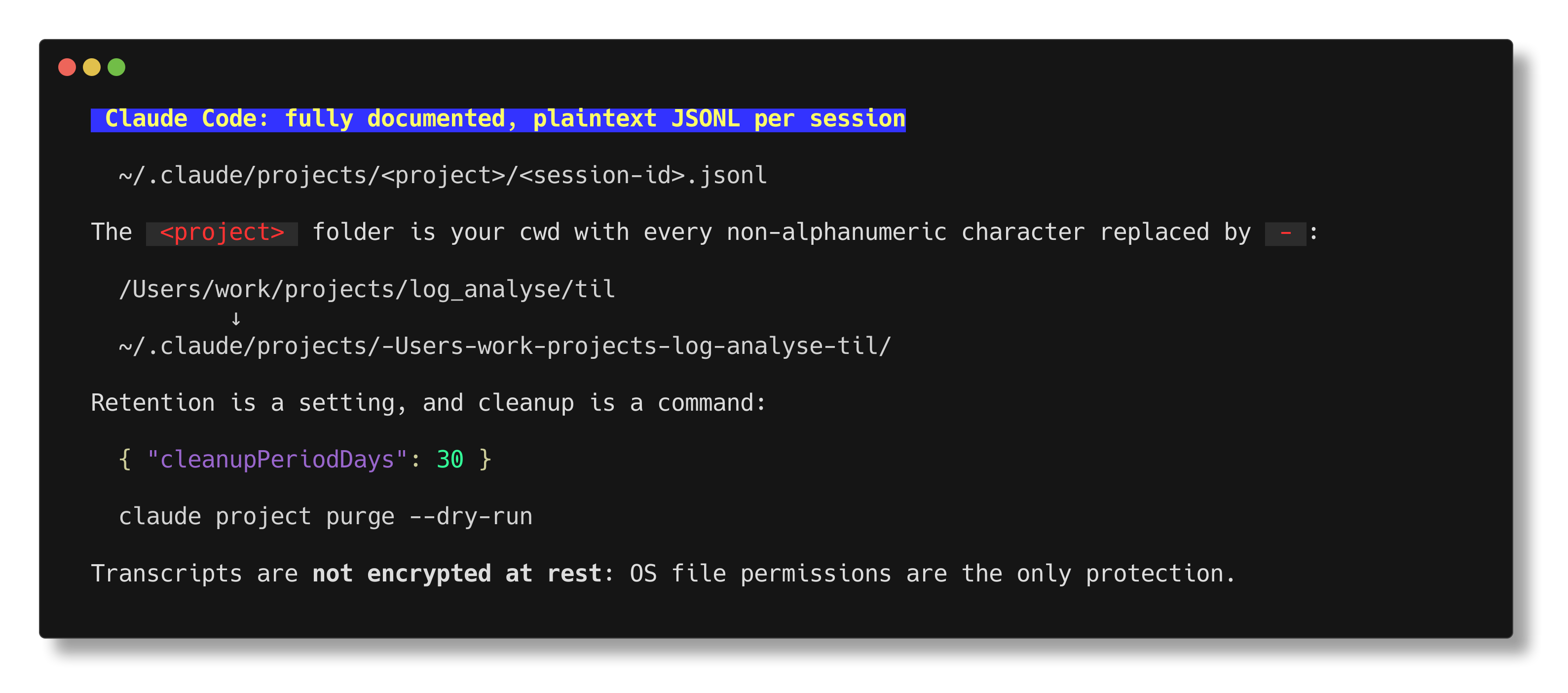
Base directory is ~/.claude/, and you can move it with CLAUDE_CONFIG_DIR (docs).
One session is one JSONL file:
~/.claude/projects/<project>/<session-id>.jsonl
The <project> part is your working directory with every non-alphanumeric character replaced by -. You can confirm this yourself with just doing an ls inside ~/claude/projects/. For example the directory /Users/lucianghinda/projects/state_of_mind/til becomes:
~/.claude/projects/-Users-lucianghinda-projects-state-of-mind-til/
Notice that _ is replaced too, not only /.
The file holds “every message, tool call, and tool result”. Large tool outputs are spilled into a tool-results/ folder next to it, subagent transcripts go into subagents/, and pre-edit file snapshots go into file-history/ so that rewind works.
Two settings matter here:
cleanupPeriodDaysdeletes old sessions at startup. Default is 30 days, minimum is 1 (docs). On my machine it is set to99999, which means “never”, which is why I have transcripts from a year ago.CLAUDE_CODE_SKIP_PROMPT_HISTORY=1stops writing transcripts and prompt history at all.
There is also a purge command since v2.1.124:
claude project purge --dry-run
It removes a project’s transcripts, its per-session data, the matching lines in history.jsonl, and the project entry in ~/.claude.json.
One line from the docs is worth quoting in full, because it applies to every tool in this article and only Anthropic writes it down:
OS file permissions are the only protection.
The transcripts are not encrypted at rest so anything that was present in your sessions will be there. THIS IS IMPORTANT TO KNOW!
2. Codex CLI: the config keys are documented, the transcripts are not
Base directory is CODEX_HOME, which defaults to ~/.codex (docs).
The full transcripts, which Codex calls rollouts, live here:
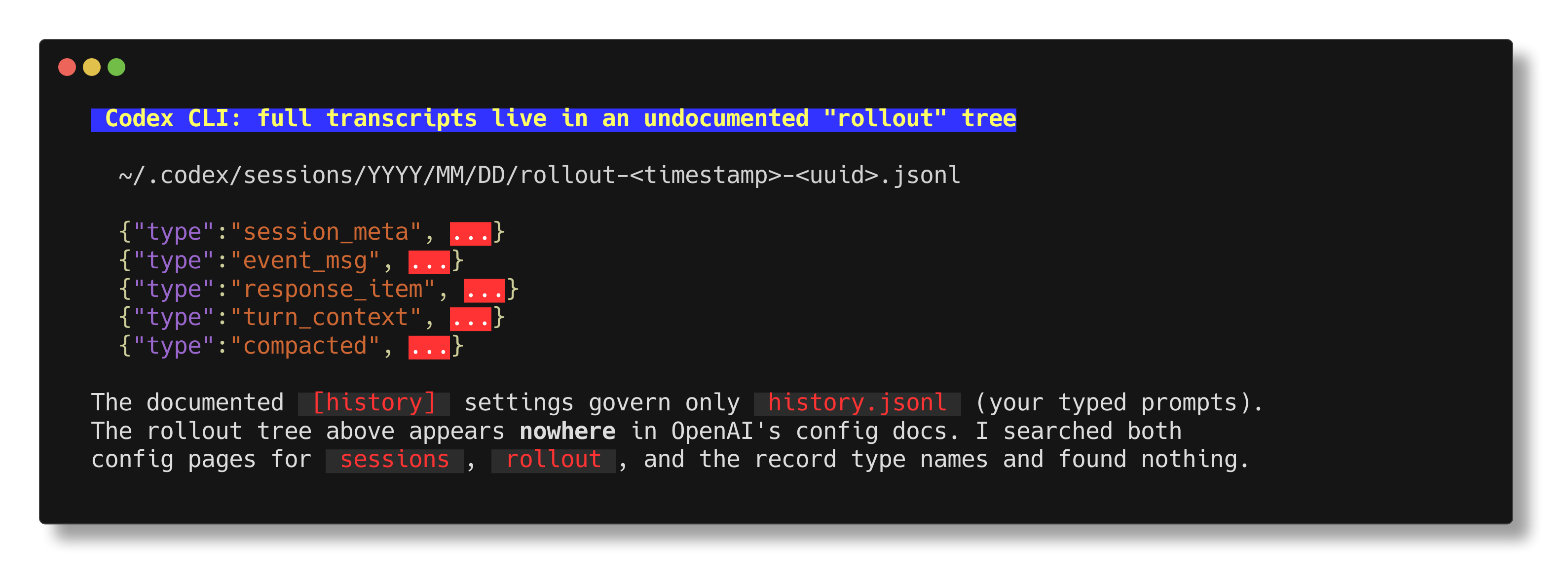
~/.codex/sessions/YYYY/MM/DD/rollout-<timestamp>-<uuid>.jsonl
Line 1 is a session_meta record.
After that you get mixed record types: event_msg, response_item, turn_context, compacted, and more.
On two machines in July 2026 I also found world_state and inter_agent_communication_metadata records, so the set is still growing.
I searched both official config pages for sessions, rollout, and the record type names and could not find anything.
There is a trap here worth naming. Codex documents a [history] config section, and the docs describe its contents as “session transcripts”:
[history]
persistence = "none"
max_bytes = 1000000
That section governs ~/.codex/history.jsonl only. On disk, each line of that file is just the text you typed for one turn ({session_id, ts, text}). Setting persistence = "none" does not stop the rollout files. The full conversation still lands in sessions/.
Codex v0.136 and later ship archive, unarchive, and delete subcommands, so there is a way to clear sessions.
There is no documented age-based auto-deletion, so rollouts stay until you remove them. But Codex CLI is developed open source so you can monitor that repo for any changes.
3. Cursor CLI: the chat store is undocumented
Cursor documents how to resume a session (--resume, agent ls, --continue) and where the config file lives.
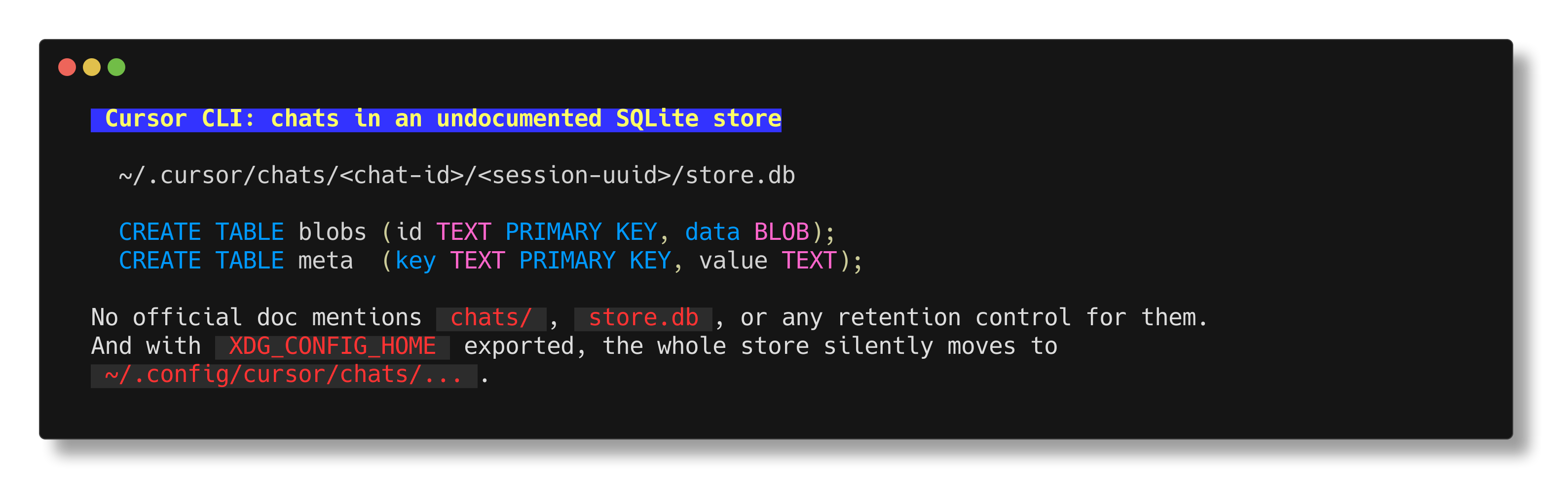
It does not document where the chats are stored or in what format. I checked the CLI docs, the config reference, the parameters reference, and the enterprise privacy page. Maybe I missed something so in that case please tell me and I will correct this article.
From disk, the default is:
~/.cursor/chats/<chat-id>/<session-uuid>/store.db
It is a SQLite database with two tables:
CREATE TABLE blobs (id TEXT PRIMARY KEY, data BLOB);
CREATE TABLE meta  (key TEXT PRIMARY KEY, value TEXT);
Next to it sits a meta.json with schemaVersion, createdAtMs, updatedAtMs, and sometimes cwd and title. The ~/.cursor/chats default is stated by Cursor staff on the forum, not in the docs.
This is the tool where my XDG_CONFIG_HOME tricked me a bit.
On my machine the store is actually at ~/.config/cursor/chats/..., because Cursor honors $XDG_CONFIG_HOME/cursor/ for the config directory and the chats move along with it. The vanilla default is still ~/.cursor.
Two more things surprised me:
- ACP-mode sessions use a separate store at
~/.cursor/acp-sessions/. - The Cursor IDE keeps its chats somewhere else again, under
~/.cursor/projects/<project>/agent-transcripts/, and the two stores do not sync.
There is no retention setting for chats. The only documented cleanup controls in Cursor are for git worktrees (cursor.worktreeCleanupIntervalHours, cursor.worktreeMaxCount). To clear chat history you delete the directory which is a strategy for all these agents if you want to.
4. Amp CLI: the server holds the real copy
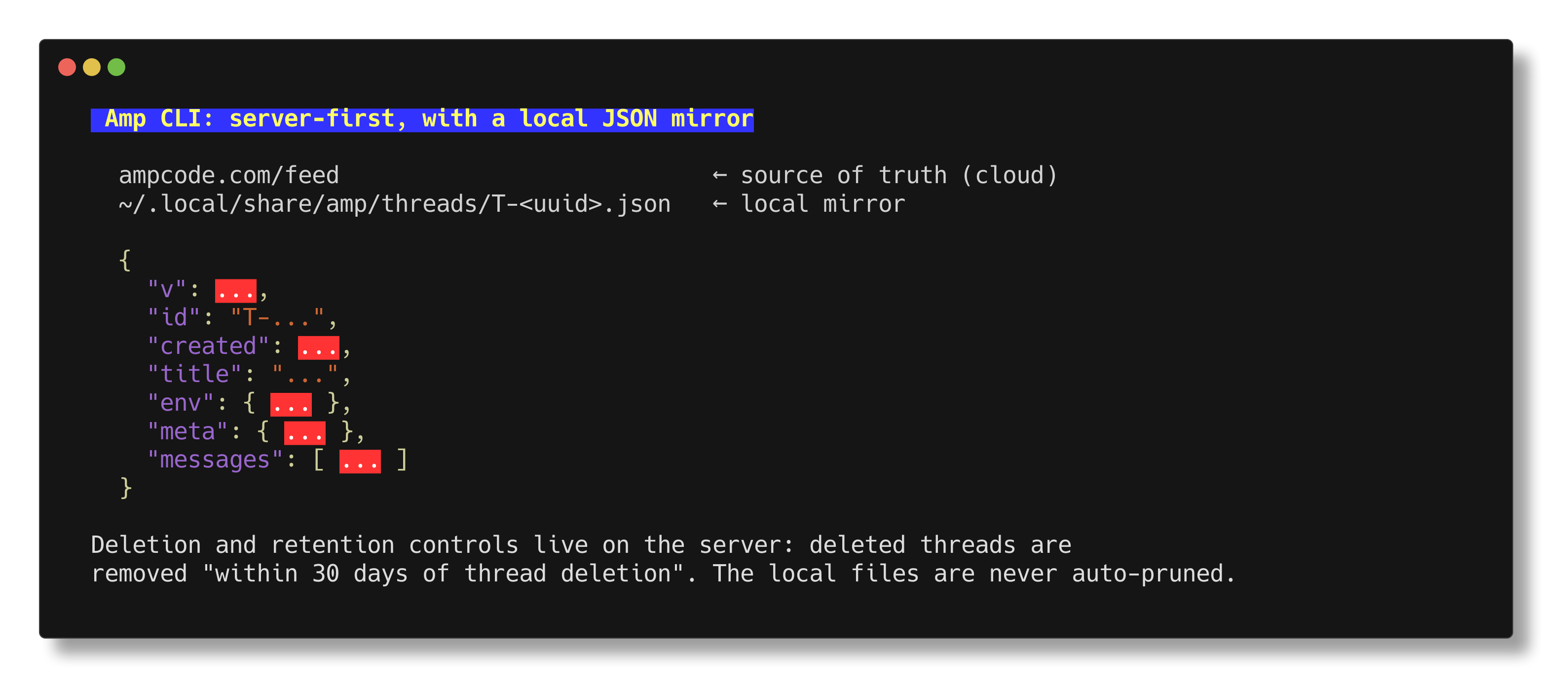
Amp is the one that works differently because threads are stored on Amp’s servers by default and synced across your devices, and you can browse them at ampcode.com/feed (security reference).
Locally you get a mirror:
~/.local/share/amp/threads/T-<uuid>.json
One JSON file per thread, with v, id, created, messages[], and on real threads also title, env, and meta.
Logs live under ~/.cache/amp/logs/cli.log, with per-thread logs next to them.
Only one local path is documented by Amp: ~/.local/share/amp/secrets.json, which holds your access token.
Everything else in that directory I found by looking.
A second machine with a newer Amp had threads/, secrets.json, history.jsonl, and cli.log, but was missing session.json, device-id.json, the per-thread logs, and the traces directory entirely. That is a good argument for not building anything on top of these files.
Because the server is the source of truth, the retention controls are there too. Deleted thread data is “removed within 30 days of thread deletion” for everyone, zero data retention is an Enterprise feature. There is no local cleanup at all, so the mirror grows forever unless you manually delete it. Or maybe it has an auto cleanup but I am not sure.
5. opencode: thousands of JSON files became one database
opencode documents its data directory, ~/.local/share/opencode/, on the troubleshooting page. That page still lists a project/ directory for “session and message data”, which no longer matches a current install.
Since v1.2.0 (February 2026), sessions live in a single SQLite database. The release notes say the first run “will migrate all flat files in data directory to a single sqlite database”.
The docs never state the path of that database. The supported way to find it is a command:
opencode db path
Inside, on my install, the database runs in WAL mode and holds project, session, message, part, session_share, todo, and permission tables. Message and part payloads are stored as JSON text in a data column. None of this schema is documented.
The old JSON tree is still sitting on disk after the migration, unreferenced, last written on 2026-04-30.
Two practical notes:
- Logs are documented as keeping “the 10 most recent files”. That caps the file count, not the size. One log file on my machine had grown to 2.6 GB.
/shareis opt-in, the default mode is"manual", and a shared conversation stays reachable until you/unshareit. No expiry is documented.
For cleanup there is opencode session delete <id> and opencode export --sanitize. There is no TTL. The documented full reset is rm -rf ~/.local/share/opencode.
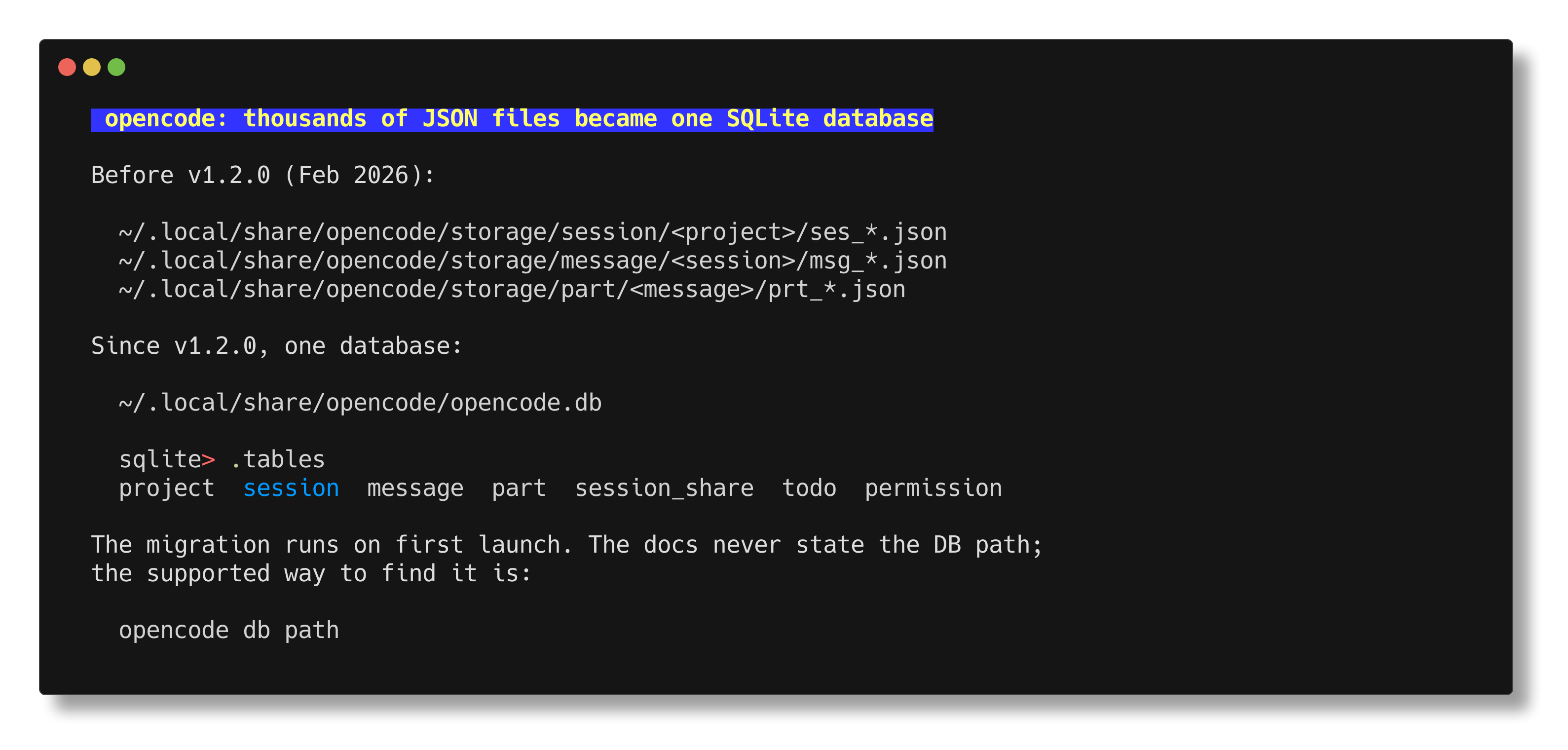
I find the idea to use SQLite for this great as it is a DB, it is local and fast and it can be queries like a DB instead of traversing the file system and grepping files.
6. pi: the only one that publishes its file format
pi is the smallest tool (but with a lot of addons) in this list and the best documented one. It publishes the path, the deletion flow, and the complete on-disk format, in the repo and at pi.dev/docs.
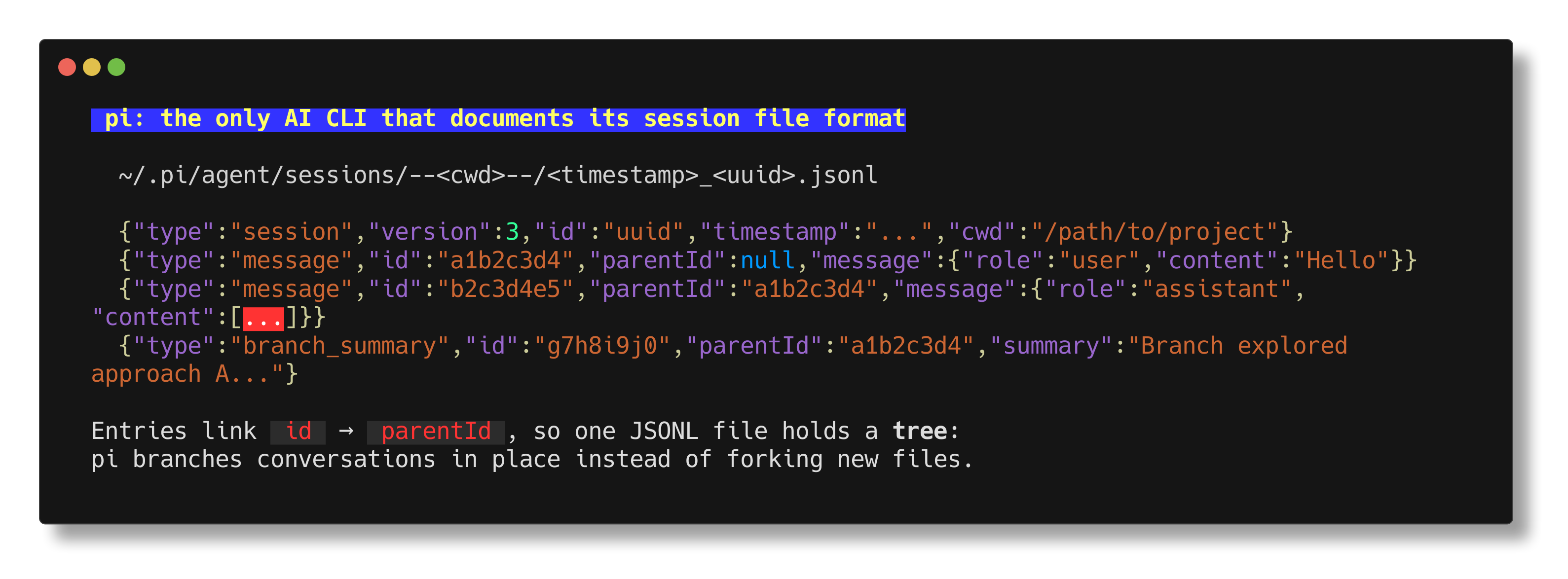
~/.pi/agent/sessions/--<cwd>--/<timestamp>_<uuid>.jsonl
The <cwd> is your working directory with / replaced by -, wrapped in --...--. Same idea as Claude Code.
The format doc is the part I liked. Line 1 is a header, and every following line is a typed entry carrying an 8 character hex id and a parentId:
{"type":"session","version":3,"id":"uuid","timestamp":"...","cwd":"/path/to/project"}
{"type":"message","id":"a1b2c3d4","parentId":null,"message":{"role":"user","content":"Hello"}}
{"type":"message","id":"b2c3d4e5","parentId":"a1b2c3d4","message":{"role":"assistant","content":[]}}
{"type":"branch_summary","id":"g7h8i9j0","parentId":"a1b2c3d4","summary":"Branch explored approach A"}
Because entries point at a parent, one file holds a tree, not a list. pi branches the conversation in place instead of forking a new file. Old format versions migrate automatically on load.
One disk-verified detail that confused me for a while: pi creates the per-project directory when it starts, but writes the .jsonl only after an exchange finishes. Empty directories are normal, so do not read them as a bug.
There is no retention setting. Sessions accumulate until you delete them, from /resume with Ctrl+D, or by removing the files. When the trash CLI is available, pi uses it instead of deleting permanently.
Relocation is documented at three levels: PI_CODING_AGENT_DIR for the whole directory, PI_CODING_AGENT_SESSION_DIR and --session-dir for just the sessions, and a sessionDir setting in ~/.pi/agent/settings.json. And --no-session gives you an ephemeral run that saves nothing.
pi’s /share is also the odd one out in a good way. There is no vendor server. It exports the session to HTML and uploads it as a secret GitHub gist in your own account, viewable at https://pi.dev/session/#<gist-id>.
Five things I take away from this
-
Assume the transcripts are plaintext and readable by anything running as you, because that is what they are. Claude Code says it directly, and the others behave the same. If an agent ever printed a
.envfile, that value is now sitting in a log file in your home directory. -
Only Claude Code deletes old sessions for you, because it is the only tool with an age-based retention setting. Everything else grows until you intervene, and nobody warns you. My 2.6 GB opencode log file is what a missing size cap looks like after a few months.
-
Do not build tooling on the undocumented paths without expecting breakage, because Codex’s rollout tree, Cursor’s
store.db, and opencode’s schema were never promised to anyone. opencode already moved from thousands of JSON files to one SQLite database in a single minor release, and that migration had rough edges. -
Check your environment variables before you trust a path, because several of these directories move silently.
XDG_CONFIG_HOMErelocated my whole Cursor chat store, andCLAUDE_CONFIG_DIR,CODEX_HOME, andPI_CODING_AGENT_DIRdo it on purpose. -
Local does not mean private and remote does not mean lost, because the interesting question is who can delete the data. Amp keeps the real copy on its servers and gives you a 30 day deletion window. pi uploads a shared session to a secret gist in your own GitHub account, so no vendor ever holds it. Those are two honest designs with different trade-offs.
What I do now
As now all my agents are writing Ruby scripts when needed I have a small Ruby script that walks all six locations, checks every claim in this article against the real files, and reports the size of what it finds. It uses only the standard library, and I run it again after each tool updates. That is cheaper than trusting a path I confirmed weeks ago.
The other check takes one minute and is worth doing today: look at whether these directories fall inside anything you sync or back up. Dropbox, iCloud, and Time Machine will happily copy plaintext transcripts of every session you have ever run, and nothing in the setup asks you first.
I ran this through an adversarial fact-check and still expect some of it to age badly, because four of the six tools never promised these paths in the first place. Both pi and opencode also changed their GitHub organization recently, so links rot faster than usual here. If you find something that has moved, I would be glad to hear about it.
Resources
- Claude Code: Explore the .claude directory and Data usage and Settings
- Codex CLI: Configuration Reference and Advanced Configuration
- Cursor CLI: Using Agent in CLI and CLI configuration and Worktrees
- Amp: Owner’s Manual and Security Reference
- opencode: Troubleshooting and CLI and Share and v1.2.0 release notes
- pi: Sessions and Session file format and Usage
- My earlier post: Stats from two months of agent-first development