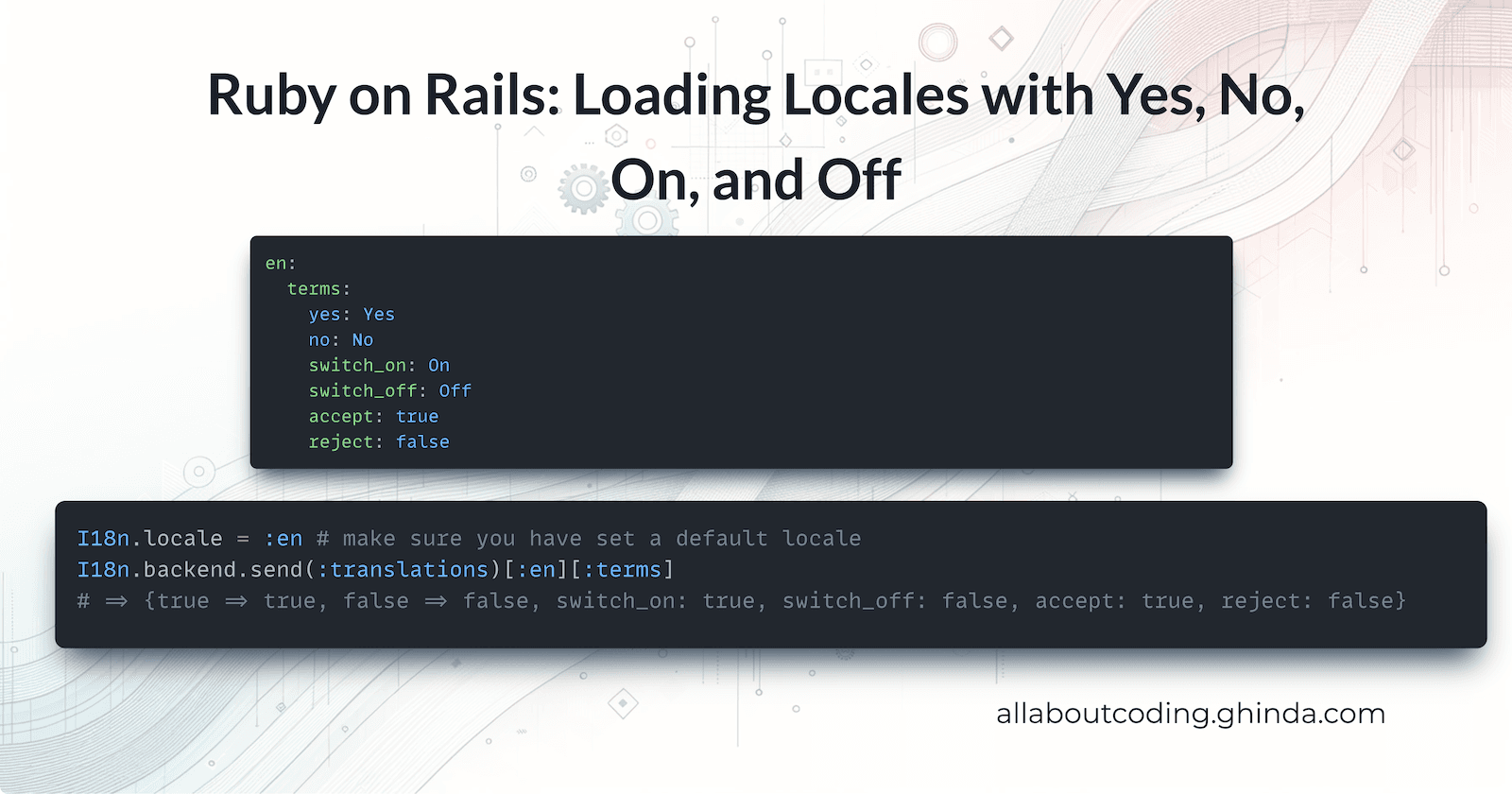
Ruby on Rails: Loading Locales with Yes, No, On, and Off
Senior Product Engineer, working in Ruby and Rails. Passionate about idea generation, creativity, and programming.
I curate the Short Ruby Newsletter.
Ruby on Rails uses the gem psych to load the YAML files for locales.
If you have something like this in your en.yml file:
en:
  terms:
    yes: Yes
    no: No
    switch_on: On
    switch_off: Off
    accept: true
    reject: false
And then you will try to load them via Rails console like this:
I18n.locale = :en # make sure you have set a default locale
I18n.backend.send(:translations)[:en][:terms]
# => {true => true, false => false, switch_on: true, switch_off: false, accept: true, reject: false}
Notice there that there is no key yes, no and more so all values Yes, No, On Off, true, false were converted to TrueClass or FalseClass in Ruby.
That for me was quite interesting so I dig deeper to understand why this is happening.
Ruby on Rails loads locales using the gem i18n for locales. And that gem is using psych or yaml (which is aliased from psych - see https://github.com/ruby/yaml)
Processing YES, yes, NO, no, on, ON, off, OFF …
Looking at psych here are some tests that we can run:
assert_equal true, Psych.safe_load("--- YES")
assert_equal true, Psych.safe_load("--- Yes")
assert_equal true, Psych.safe_load("--- yes")

assert_equal true, Psych.safe_load("--- TRUE")
assert_equal true, Psych.safe_load("--- True")
assert_equal true, Psych.safe_load("--- true")

assert_equal true, Psych.safe_load("--- ON")
assert_equal true, Psych.safe_load("--- on")
assert_equal true, Psych.safe_load("--- On")
Notice that it will transform all of those values in TrueClass / true .
If we then run these tests it will return FalseClass / false :
assert_equal false, Psych.safe_load("--- NO")
assert_equal false, Psych.safe_load("--- No")
assert_equal false, Psych.safe_load("--- no")

assert_equal false, Psych.safe_load("--- FALSE")
assert_equal false, Psych.safe_load("--- False")
assert_equal false, Psych.safe_load("--- false")

assert_equal false, Psych.safe_load("--- OFF")
assert_equal false, Psych.safe_load("--- Off")
assert_equal false, Psych.safe_load("--- off")
Could not find the exact documentation about this but it seems like psych implements YAML version 1.1 that defines the following:

Notice there that it also defines Y, y, N, n as booleans.
assert_equal "Y", Psych.safe_load("--- Y")
assert_equal "y", Psych.safe_load("--- y")

assert_equal "N", Psych.safe_load("--- N")
assert_equal "n", Psych.safe_load("--- n")
But in our case when psych does not do that.
Why Psych does not convert Y, y, N, n to booleans?
The difference is documented for example in psych gem test suite for example:
    # source: https://github.com/ruby/psych/blob/master/test/psych/test_boolean.rb
    # YAML spec says "y" and "Y" may be used as true, but Syck treats them
    # as literal strings
    def test_y
      assert_equal "y", Psych.load("--- y")
      assert_equal "Y", Psych.load("--- Y")
    end

    # YAML spec says "n" and "N" may be used as false, but Syck treats them
    # as literal strings
    def test_n
      assert_equal "n", Psych.load("--- n")
      assert_equal "N", Psych.load("--- N")
    end
syck was an old parser for YAML written in C that seems to have been implemented since Ruby 1.9 (maybe even earlier) and syck implemented YAML version 1.0. See https://ruby-doc.org/stdlib-1.9.3/libdoc/syck/rdoc/Syck.html
I could not find the exact specification in YAML version 1.0 that defines the booleans so it could be there was a discussion about this and syck, as the YAML parser implemented in C and used by Ruby, decided to adopt it.
Here is the test_boolean.rb from syck and notice there YAML spec says "y" and "Y" may be used as true, but Syck treats them # as literal strings
###
    # YAML spec says "y" and "Y" may be used as true, but Syck treats them
    # as literal strings
    def test_y
      assert_equal "y", Psych.load("--- y")
      assert_equal "Y", Psych.load("--- Y")
    end

    ###
    # YAML spec says "n" and "N" may be used as false, but Syck treats them
    # as literal strings
    def test_n
      assert_equal "n", Psych.load("--- n")
      assert_equal "N", Psych.load("--- N")
    end
How to protect from this using RubySchema.org
Ruby schema is a collection of JSON schemas for common Ruby gems. With these schemas, we can now enjoy auto-complete, validation and inline documentation right in our YAML files.
If your code editor supports YAML Language Server (and most of them do) make sure you have it installed and then if you add the following lines at the beginning of your YAML locales file:
# yaml-language-server: $schema=https://www.rubyschema.org/i18n/locale.json
%YAML 1.1
---
Then in case you will write inside the file something like this:
# yaml-language-server: $schema=https://www.rubyschema.org/i18n/locale.json
%YAML 1.1
---
en:
  yes: "Yes"
  on: "On"
Then your editor will show you a message like this:


👉 If you like this article and want it in your inbox each week, subscribe to my newsletter. You’ll find ideas on Ruby, software development, software testing, building products and workshops, plus notes on creativity, tech trends, and whatever else sparks my curiosity.
👐 Want to improve your developer testing skills? Visit goodenoughtesting.com/articles to discover resources on testing for developers.
👉 Join my Short Ruby Newsletter for weekly Ruby updates and visit rubyandrails.info, a directory of Ruby learning content.
🤝 Connect with me on Linkedin, Bluesky, Ruby.social, , and Twitter, where I mostly post about Ruby and Ruby on Rails.
🎥 Follow my YouTube channel for short videos about Ruby and Rails.