How to Enable Ruby LSP in Claude Code and OpenCode
Senior Product Engineer, working in Ruby and Rails. Passionate about idea generation, creativity, and programming.
I curate the Short Ruby Newsletter.
RubyLSP plugin was officially added to Claude Code. See this commit
This way you can use Ruby LSP as a real tool inside Claude Code, and the setup takes just a few steps.
What is Ruby LSP and Why Does It Matter in Claude Code
Ruby LSP is a language server for Ruby built by Shopify. It provides go-to-definition, document symbols, hover information, and diagnostics. In your editor - VS Code, Neovim, Zed - you probably already use it and do not even notice because it just works.
In Claude Code, having LSP support means Claude can ask for things like:
List classes/methods/constants in a file
Jump to where a symbol is defined
Find all usages of a symbol
Get type info/docs for a symbol
Search symbols across the whole project
Find implementations of an interface
Trace call hierarchy
Think about the difference: reading a Ruby file and guessing the structure vs. asking "what are all the methods in this class?" and getting back exact symbol names, kinds, and line numbers. The second is more reliable, especially in larger codebases.
Step 1: Install the ruby-lsp Gem
Make sure the ruby-lsp gem is installed in your Ruby environment for your specific Ruby version:
gem install ruby-lsp
Verify it is available:
which ruby-lsp
# => /Users/yourname/.gem/ruby/3.3.0/bin/ruby-lsp
If you use a version manager like rbenv or asdf, install it for the Ruby version you use in your projects.
Step 2: Install the Plugin
The Ruby LSP team published their plugin in the official Claude plugin directory. This means you no longer need to add a third-party marketplace first - one command is enough.
Run this in your terminal or directly inside Claude Code with the /plugin prefix:
# In terminal
claude plugin install ruby-lsp@claude-plugins-official
Or inside Claude Code:
# inside Claude Code session
/plugin install ruby-lsp@claude-plugins-official
The @claude-plugins-official suffix tells Claude Code to look up the plugin in the official directory. No need to add an extra marketplace.
Step 3: Enable the LSP Tool via Environment Variable
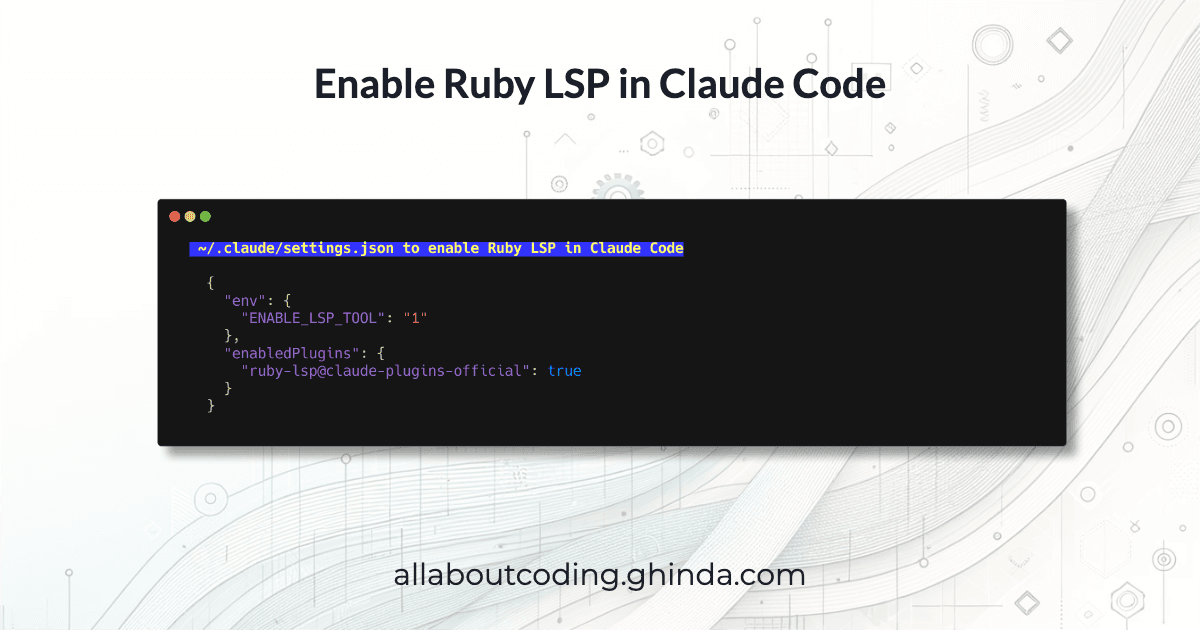
Claude Code requires an explicit opt-in to expose LSP tools. Add this to ~/.claude/settings.json under the env key:
{
  "env": {
    "ENABLE_LSP_TOOL": "1"
  }
}
The Complete settings.json
Here is what the relevant parts of ~/.claude/settings.json look like after all steps:
{
  "env": {
    "ENABLE_LSP_TOOL": "1"
  },
  "enabledPlugins": {
    "ruby-lsp@claude-plugins-official": true
  }
}
Step 4: Restart and Verify
To load the LSP plugin you need to restart Claude Code completely, not just run /reload-plugins.
Then navigate to a Ruby project and test it. Ask Claude:
list symbols in app/models/user.rb using LSP
Here is what you should see (of course the symbols might vary, here I have a simple User object):
⏺ LSP(operation: "documentSymbol", file: "app/models/user.rb")
  ⎿  Found 2 symbols
     Document symbols:
     User (Class) - Line 1
       has_many :sessions (Method) - Line 3

| Symbol | Kind | Line |
|---|---|---|
| User | Class | 1 |
| has_many :sessions | Method | 3 |
Summary
Here are the steps, in order:
Install the gem:
gem install ruby-lspInstall the plugin:
claude plugin install ruby-lsp@claude-plugins-officialAdd
ENABLE_LSP_TOOL: "1"to~/.claude/settings.jsonunderenvRestart Claude Code
Resources
Ruby LSP - the official Ruby language server by Shopify and Ruby LSP GitHub repository